
Published: February 1, 2026
| GigaPuff (Developer & Publisher) Where to play: PC/Console (Steam) |
Jump to:
Part Chat Room, Part Productivity Tool
A cozy online multiplayer where people keep each other company while they work? As someone who studies for classes and works from home, this seemed like it could be the perfect game for me if done right. But although my interest was piqued, I was skeptical. How would On-Together:Virtual Co-Working pull this concept off?
I was pleasantly surprised. There are some components I hope get updated, but I foresee myself continuing to play On-Together:Virtual Co-Working while I work, study, clean, and complete other tasks. The game is effective at promoting focus and socialization through a combination of productivity tools and lobbies where players can interact. Plus, its fun and pretty darn cute.
Since I feel the community and socialization aspect is truly the crux of the game, I’ll start there.
Community and Socialization
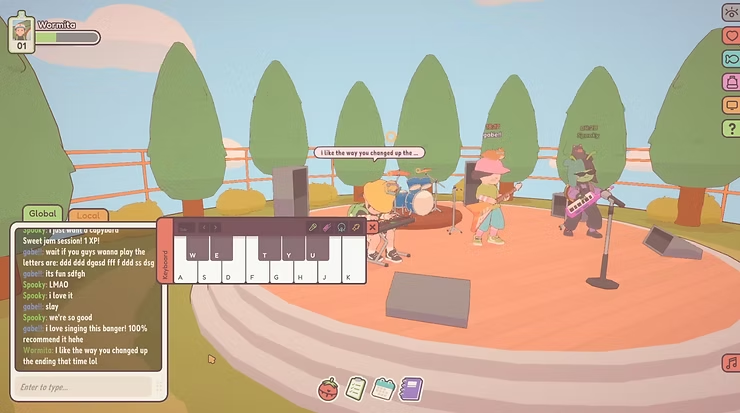
While playing, I was reminded of those highly social MMOs that seemed more popular when I was a kid. Games like Club Penguin and AWOL Now, where the main point was basically just to sit around and chat with people. On-Together: Virtual Co-Working takes that concept and adds the benefit of productivity. It launched in January 2026, quickly garnering a friendly, active community.
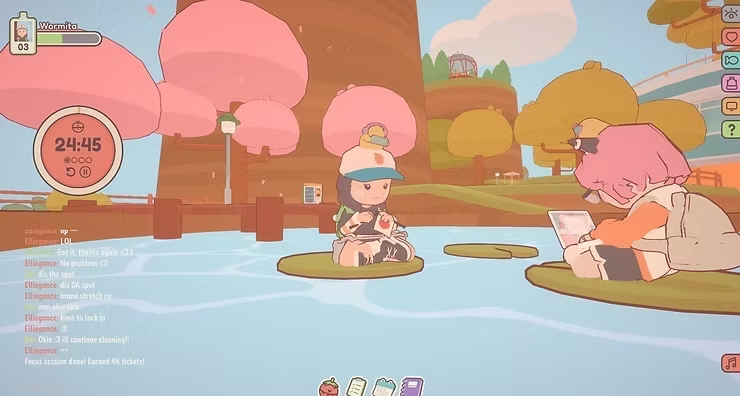
During breaktime, you can chat and play mini-games like fishing and basketball. When it’s time to focus on work, you can choose an action for your avatar, like exercising or typing on the computer. Then you can use the game’s productivity tools, go AFK, and return when it’s time for a virtual ‘water cooler’ break.
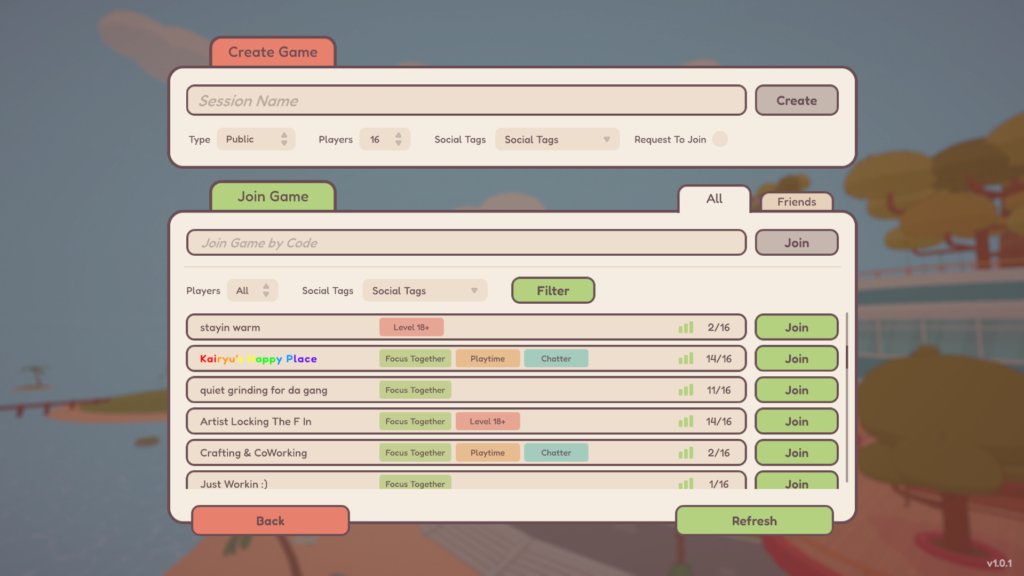
On-Together: Virtual Co-Working features public and private lobbies that you can create, label, and join depending on your mood. From the screenshot below, you can see some of the lobbies people started for art, crafts, minigames, and quietly working. This makes it easy to find the vibe and people you’re looking for.
The community seems to be very warm, helpful, and easy to strike up conversation with. I made friends quickly, and anytime I had questions about the game, like how to acquire new pets for my avatar, I was able to get advice from other players. I like that you can add people to a friend list that allows you to jump to the same room they’re in if you’re both online at the same time.
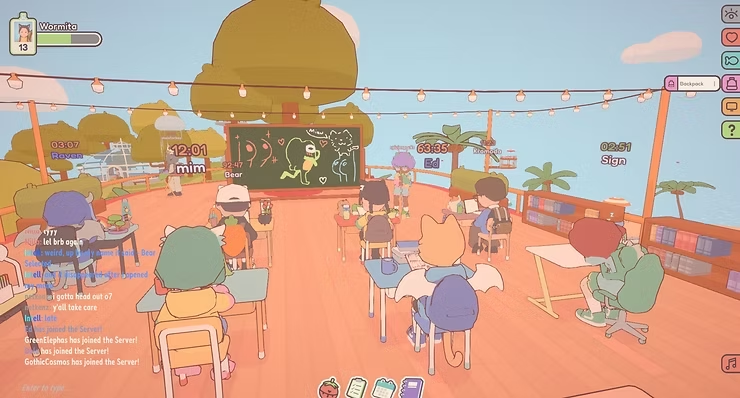
Working from home or doing chores alone can feel isolating sometimes, so there’s something really nice about being able to connect with other people during breaks. For me, it’s also motivating to work alongside others and celebrate accomplishments together. That’s why I enjoyed On-Together: Virtual Co-Working so much and will continue to keep playing.
That said, there are some aspects of the productivity tools and socialization feature that I’d love to see updated. Ill get into productivity tools later in this post but, as far as socialization goes, I think the ability to write longer profiles would be great. At the time of this review, you can only fit a sentence or two into the “About Me” section of your profile. If people were able to write more, I think it would be easier to find things in common with them and it would spark a lot of good conversations.
Is It Distracting?
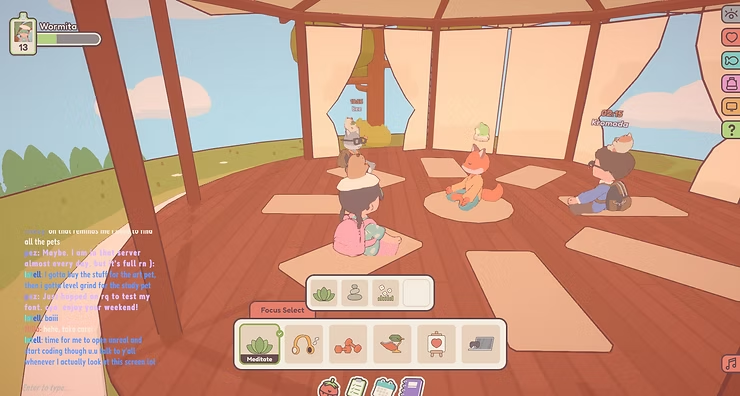
Not to me. On-Together: Virtual Co-Working strikes a good balance between providing entertainment and promoting productivity. Although you can socialize and play mini games, the content is extremely limited, so it doesn’t become a distraction. The mini games are very simple and repetitive, and the world is varied enough without being too big. There are different settings you can choose from like the beach, campfire, or meditation center, but they all have the same cozy, focused atmosphere without much going on. It feels like the developer was very intentional in designing a game that encourages bite-sized pieces of fun and interaction without compromising the players’ overall focus.
Productivity Tools
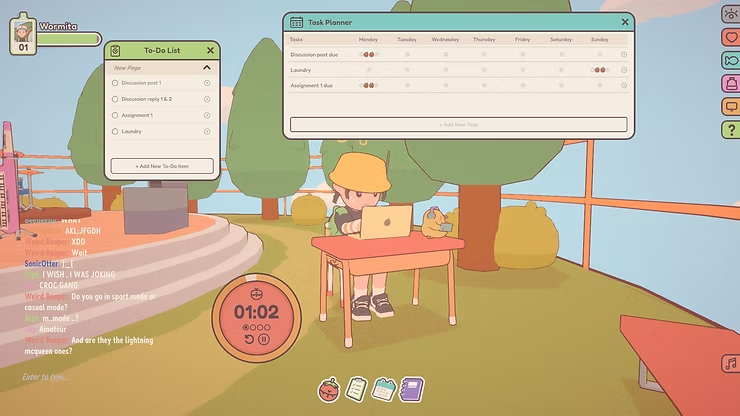
On-Together: Virtual Co-Working includes four productivity tools: a to-do list, weekly task planner, Pomodoro Timer, and journal. The to-do list is my most used tool, since it lets me organize what I need to get done and check things off as I go. I like the idea of encouraging people to use the Pomodoro Technique and providing a timer, but I haven’t used this tool much other than as a way to trigger the game to give me more tickets to buy stuff for my avatar (lol).
I hope the developer will expand more on the productivity tool components in future updates. I could see myself utilizing these tools more to stay organized with school, work, and personal tasks if they were more detailed. For example, I’d love if the 1-week task planner could be expanded to a 1-month or even 12-month planner.
The more detailed the better, but I understand that GigaPuff is an independent game developer and likely has limited resources compared to larger studios, so I’m trying to keep my hopes realistic. But at the same time, I think focusing on On-Together: Virtual Co-Working’s productivity tools is the best way for GigaPuff to make the game even more useful and engaging for players without creating distraction. Another way to expand these tools could be allowing players to write and set reminders that pop up after a Pomodoro session ends.
Avatar Customization
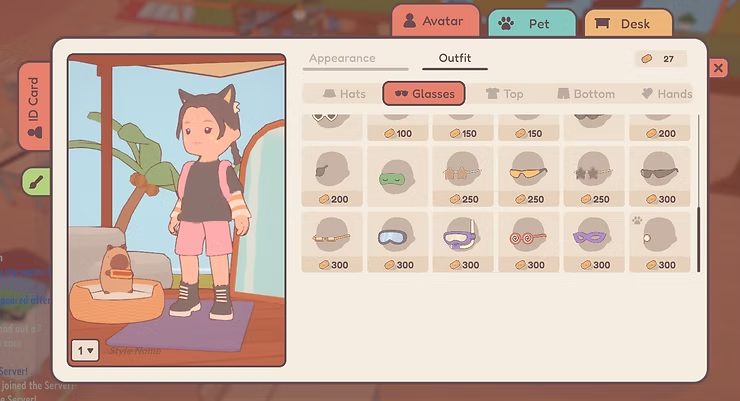
I like the game’s cute art style did not feel limited by the customization options. There are plenty of hairstyles, clothes, and accessories to choose from, and I especially like being able to decorate my desk by adding plants and trinkets. There are three slots to save outfits. Thanks to the pleasant graphics and variety of choices, I really enjoyed creating outfits and filled these slots quickly, so I hope GigaPuff will add more in a future update.
As you level up, you get access to more types of pets that you can name and change the color of. This seems to be the only aspect character levels currently impact, and you level up by doing things like putting your avatar in focus mode.
Final Thoughts
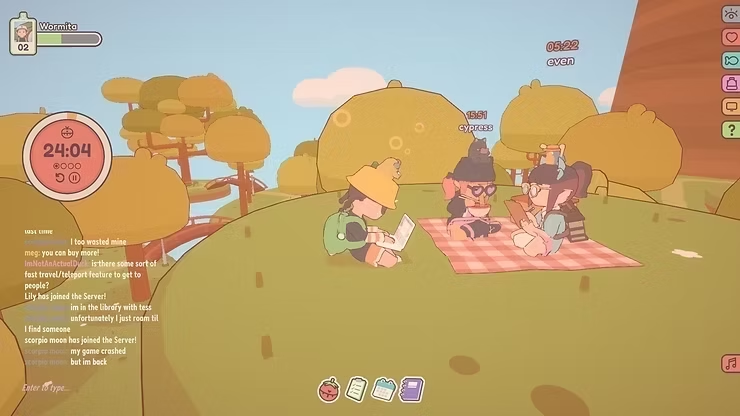
I’ve made friends, accomplished tasks, and clocked many hours playing On-Together: Virtual Co-Working. I think it’s effective for productivity for a few reasons. Mainly, GigaPuff is successfully fostering a supportive and like-minded community of players—people who have work to get done and want to encourage each other, celebrate accomplishments, and simply enjoy each other’s company. Additionally, they included just enough content to make the game environment fun and welcoming without adding so much content that it becomes distracting.
The productivity tools are a nice touch, but they currently feel too limited to be useful. For future updates, I’d love to see these tools expanded even if just slightly. Things like going from a weekly to monthly task planner or adding the ability to set pop up reminders with our Pomodoro Timers could be feasible for a small indie team to incorporate but go a long way toward increasing productivity benefits for players.
If you’re the type of person that works or studies alone and focuses better when you have company and support, you might enjoy On-Together: Virtual Co-Working as much as I do.